



用win8的朋友再打开一些系统权限的时候,总是会遇到没权限访问的情况,或者在删除一些文件的时候,也会因为权限不足,而导致无法操作,那到底该怎么获得win8的最高权限呢?小编给你来支两招
win8用户怎么获得最高权限第一招我们回到经典桌面,右击计算机---管理---本地用户和组---用户,这时候我们就能看见Administrator的身影了,然后右击Administrator属性,把账户已禁用的勾去掉就行了。
win8用户怎么获得最高权限这时候我们组合键CRTL+ALT+DEL,选择切换用户使用Administrator账户登录就行了。
win8用户怎么获得最高权限第二招导入注册表,新建一个记事本,把下面的代码复制进去,然后把文件后缀名改为.reg,双击运行即可。
取得管理员权限
Windows Registry Editor Version 5.00
;取得文件修改权限
[HKEY_CLASSES_ROOT*shellrunas]
@="管理员权限"
"Icon"="C:WindowsSystem32imageres.dll,102"
"NoWorkingDirectory"="" [HKEY_CLASSES_ROOT*shellrunascommand]
@="cmd.exe /c takeown /f "%1" && icacls "%1" /grant administrators:F"
"IsolatedCommand"="cmd.exe /c takeown /f "%1" && icacls "%1" /grant administrators:F" [HKEY_CLASSES_ROOTexefileshellrunas2]
@="管理员权限"
"Icon"="C:WindowsSystem32imageres.dll,102"
"NoWorkingDirectory"="" [HKEY_CLASSES_ROOTexefileshellrunas2command]
@="cmd.exe /c takeown /f "%1" && icacls "%1" /grant administrators:F"
"IsolatedCommand"="cmd.exe /c takeown /f "%1" && icacls "%1" /grant administrators:F" [HKEY_CLASSES_ROOTDirectoryshellrunas]
@="管理员权限"
"Icon"="C:WindowsSystem32imageres.dll,102"
"NoWorkingDirectory"="" [HKEY_CLASSES_ROOTDirectoryshellrunascommand]
@="cmd.exe /c takeown /f "%1" /r /d y && icacls "%1" /grant administrators:F /t"
"IsolatedCommand"="cmd.exe /c takeown /f "%1" /r /d y && icacls "%1" /grant administrators:F /t"
2、恢复原始权限:Windows Registry Editor Version 5.00
;恢复原始权限
[HKEY_CLASSES_ROOT*shellrunas-]
@="恢复原始权限"
"Icon"="C:WindowsSystem32imageres.dll,101"
"NoWorkingDirectory"=""
; && takeown /f "%1"
[HKEY_CLASSES_ROOT*shellrunas-command]
@="cmd.exe /c takeown /f "%1" && icacls "%1" /reset && cacls "%1" /e /r "%%USERNAME%%""
"IsolatedCommand"="cmd.exe /c takeown /f "%1" && icacls "%1" /reset && cacls "%1" /e /r "%%USERNAME%%"" [HKEY_CLASSES_ROOTexefileshellrunas2-]
@="恢复原始权限"
"Icon"="C:WindowsSystem32imageres.dll,101"
"NoWorkingDirectory"="" [HKEY_CLASSES_ROOTexefileshellrunas2-command]
@="cmd.exe /c takeown /f "%1" && icacls "%1" /reset && cacls "%1" /e /r "%%USERNAME%%""
"IsolatedCommand"="cmd.exe /c takeown /f "%1" && icacls "%1" /reset && cacls "%1" /e /r "%%USERNAME%%"" [HKEY_CLASSES_ROOTDirectoryshellrunas-]
@="恢复原始权限"
"Icon"="C:WindowsSystem32imageres.dll,101"
"NoWorkingDirectory"="" [HKEY_CLASSES_ROOTDirectoryshellrunas-command]
@="cmd.exe /c takeown /f "%1" /r /d y && icacls "%1" /reset && cacls "%1" /e /r "%%USERNAME%%""
"IsolatedCommand"="cmd.exe /c takeown /f "%1" /r /d y && icacls "%1" /reset && cacls "%1" /e /r "%%USERNAME%%""
 解析安珍适®VL琼脂糖填充剂:天然成分与创新技术的抗衰突破
 LE LABO 南京·德基香氛实验室正式启幕
 美丽田园“三强聚合”重塑行业格局,平台化赋能开启加盟创业“黄金时代
 美力共行,耀启新章!抖音生活服务丽人年度峰会圆满落幕
 路博润发布行业发展白皮书,助力中国隐形正畸高质量发展
 DIPTYQUE「可能在巴黎」漫游空间限时开启 探寻灵感之源
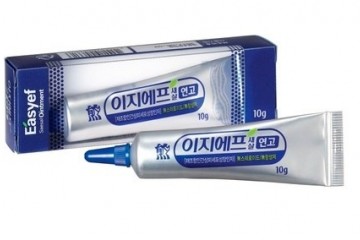 韩国大熊制药“EGF再生小银管”: 攻克难愈性伤口的修复新选择
 云南植物走向世界,薇诺娜在巴黎掀起“东方护肤热”